
Understanding and Applying the Main Search Principles of Internet Search Engines

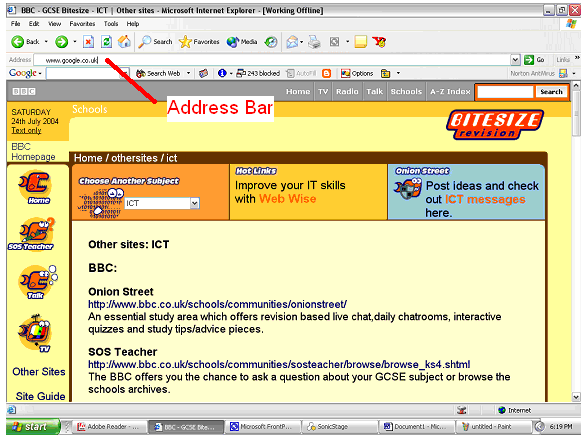
A search engine is used if you wish to find information about a particular topic and you don't know the URL's of any web pages on that topic. In order to use a search engine you will need to type in the URL of one in the address bar of your web browser. One of the best search engines is Google and can be found at www.google.co.uk
Search engines work by using keywords. For example you may want to find information about cars so you will do a keyword search using a search engine. If you want to use a search engine follow these instructions:
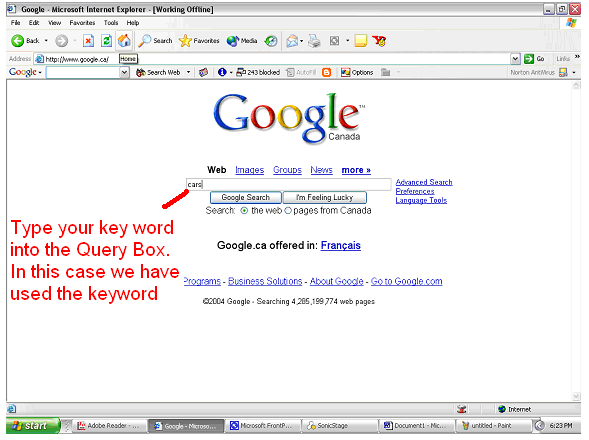
You will notice that after a few seconds your search engine will present you with every website it has found with the keyword cars in it.
You may have noticed that in most cases your searches will turn up hundreds of thousands or even millions of hits (a hit is just jargon for a web page found by a search engine). There are a few things which can help you determine which site you may want to visit.
If you don't find anything in the first list of results click on then next hyperlink to look through the next list of results. Remember that the further down the list you go the less occurrences of your key word there will be in the web pages found. It is often not useful to look at websites to far away from the top ten.
You may have noticed that doing a search on a word like cars produces several hits and a lot of websites that are not specific to what you may be looking for. For example, you may really be looking for information on Porsche cars. If you just type cars into the query box on your search engine you will find information on Ford cars, Toyota cars, Vauxhall cars, etc. In this case you want to refine your search i.e. make it more specific. To do this follow these instructions:
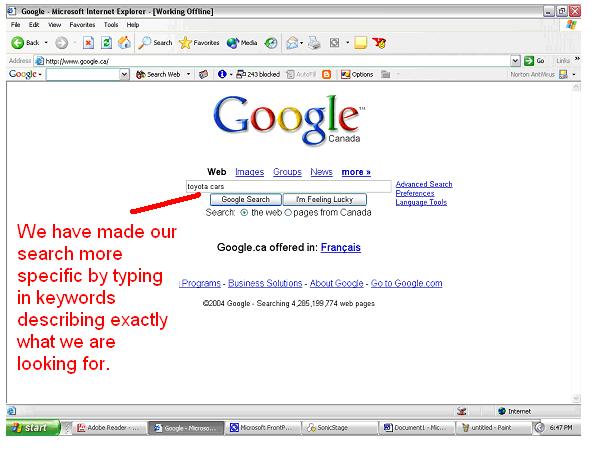
This should give us more specific information but this is still not as good as it can get. In the above example this search will not only give us all the web pages with the word Toyota and cars in it, but will also give us all of the web pages with the word Toyota and all of the web pages with word cars in it.
To be even more specific it is helpful to use quotation marks around your keywords. To do this follow these directions:
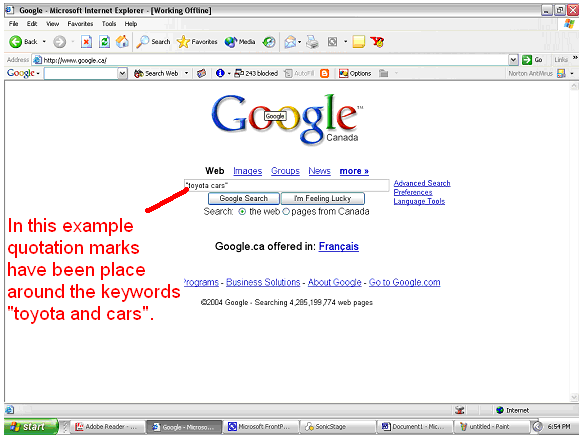
In this example only those web pages with the keywords, "Toyota and cars", appearing together will be presented to you.
